
TL;DR
- A PostHog funnel is a series of events that users must complete in order. It shows you where users drop off and what percentage make it through each step.
- The most useful funnels answer business questions, not vanity questions. "How many people signed up?" is a vanity funnel. "How many people who signed up from paid ads completed activation within 7 days, and how does that compare to organic?" is a business funnel.
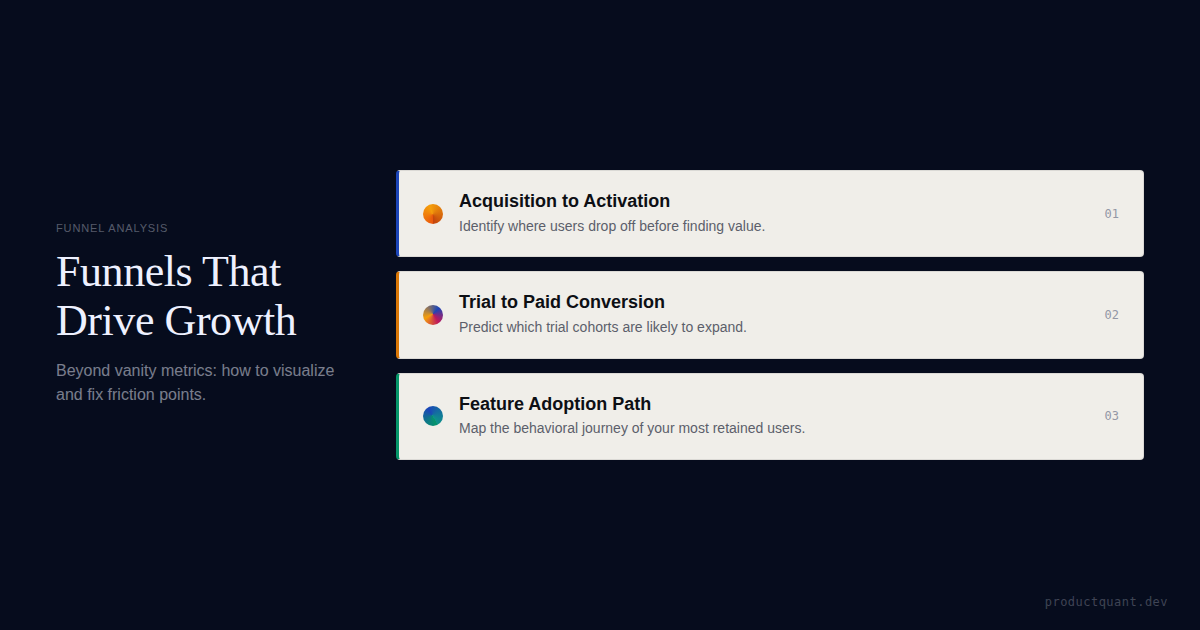
- The 3 funnels every B2B SaaS team needs: Acquisition-to-Activation, Trial-to-Paid, and Feature Adoption.
- PostHog funnel features you should always use: breakdown by property, conversion time windows, exclusion steps, and trends over time.
- Pair every funnel with session replay: watch the sessions of users who dropped off at the worst step. The qualitative context turns "23% dropped off here" into "they dropped off because the pricing page loads slowly on mobile and the CTA is below the fold."
- Free tier covers unlimited funnel analysis. Funnels are included in the free tier (1M events/month). Over 90% of PostHog companies stay on the free tier.
What a PostHog Funnel Actually Shows

A funnel in PostHog answers one question: of the users who completed step 1, what percentage completed step 2, step 3, and so on? Funnels track conversion paths and find drop-off points — turning event data into action.
PostHog funnels enable you to visualize your flows and understand where the friction points are so that you can improve them. From funnels you learn where people are getting stuck during your flow, who successful and unsuccessful users are, the steps with the highest friction, and the drop-off conversion rate between each step.
Here's what a typical B2B SaaS funnel looks like:
| Step | Users | Conversion | Cumulative |
|---|---|---|---|
1. signup_completed | 1,000 | 100% | 100% |
2. activation_event | 380 | 38% | 38% |
3. trial_started | 310 | 82% | 31% |
4. subscription_created | 62 | 20% | 6.2% |
This tells you that 38% of signups reach activation, 82% of those start a trial, and 20% of trial users convert to paid. The biggest absolute drop is step 1→2 (620 users lost). The biggest relative drop is step 3→4 (80% of trial users don't convert).
Knowing which drop matters most is the difference between a useful funnel and a vanity funnel.
In this example funnel, only 6.2% of signups reach a paid subscription. The biggest absolute loss is step 1→2 (signup to activation) — 620 users lost. Fix this step first. A 10% improvement in activation rate would yield 62 more paid subscriptions — doubling your conversion.
How to Build Your First Funnel
Step-by-Step
- Click Product Analytics → Funnels in the left nav
- Click New funnel
- Add your first event (e.g.,
signup_completed) - Add subsequent events in order (
activation_completed,trial_started,subscription_created) - Set the conversion time window — how long between steps counts? Default is unlimited. For a trial-to-paid funnel, set it to 14 or 30 days.
- Click Calculate
The Most Important Setting: Conversion Time Window
By default, PostHog funnels have no time limit between steps. A user who signed up 180 days ago and converted today counts the same as a user who converted within 24 hours. This inflates your conversion rate and makes the funnel useless for diagnosing recent problems.
Set realistic windows:
- Signup → Activation: 24 hours
- Activation → Trial: 7 days
- Trial → Paid: 14–30 days (matching your trial length)
- Feature adoption paths: 30 days
Breakdown by Property
The most powerful funnel feature is breakdown. Break your funnel down by signup source, plan type, user role, or any custom property. This reveals segment-level variation that the aggregate funnel hides.
For example, your overall trial-to-paid conversion might be 20%, but paid ad signups might convert at 35% and organic at 12%. You won't see this without breakdowns.
Exclusion Steps
Exclusion steps let you filter out users who took an unexpected path. For example, if some users skip the trial and go straight to paid (enterprise deals), you can exclude them from the funnel to see the "pure" trial-to-paid conversion for self-serve users.
Trends Over Time
Switch to the "Trends" view to see how funnel conversion changes week over week. If activation rate drops from 40% to 30% after a product release, that's a regression — not a normal fluctuation.
The 3 Funnels Every B2B SaaS Team Needs

Funnel 1: Acquisition-to-Activation
Events: page_visited → signup_completed → activation_completed
Business question: "Where do we lose users before they reach value?"
Breakdown by: signup source, landing page, device type, campaign
What to do with the results: The step with the biggest absolute drop is your onboarding bottleneck. Fix that step first. If most users drop between signup and activation, your first-run experience is broken. If most users drop between page visit and signup, your landing page is broken.
Funnel 2: Trial-to-Paid Conversion
Events: trial_started → activation_in_trial → key_feature_used → subscription_created
Business question: "Which trial users convert and which don't?"
Breakdown by: trial length (7 vs. 14 vs. 30 days), plan type, signup source, user role
Conversion time window: 14 or 30 days (matching your trial length)
What to do with the results: If most trial users drop between trial start and in-trial activation, your trial onboarding is broken. If they activate in-trial but don't convert, your value proposition or pricing is the problem.
Funnel 3: Feature Adoption
Events: signup_completed → feature_a_first_used → feature_b_first_used → feature_c_first_used
Business question: "What's the feature adoption path of retained users?"
Breakdown by: retained vs. churned (create a cohort of retained users and compare their funnel to churned users)
What to do with the results: The features that retained users adopt but churned users don't — those are your activation drivers. The features that both groups adopt equally — those are table stakes, not differentiators.
Pair Every Funnel with Session Replay
The funnel tells you where users drop off. Session replay tells you why.
How to connect them:
- Look at your funnel and identify the worst drop-off step
- Go to Replay in the left nav
- Filter by: users who completed the step before the drop but NOT the drop step itself
- Watch 5–10 sessions and look for patterns
You'll find things funnels can't show: broken UI elements, confusing copy, slow page loads, users rage-clicking on non-interactive elements, or users completing the step via an unexpected path that your event tracking missed.
The qualitative context turns quantitative data into actionable insight. "23% dropped off here" becomes "they dropped off because the pricing page loads in 8 seconds on mobile and the CTA is below the fold."
User Paths: Explore Open-Ended Journeys
While funnels answer "how many users completed this specific path," user paths answer "what did users actually do?" — revealing unexpected routes, detours, and workarounds that your predefined funnel steps miss.
Use funnels for defined processes (signup, checkout, onboarding). Use paths for exploratory analysis (what do users do after they land on the homepage?).
The combination of funnels (confirming known paths) and paths (discovering unknown paths) gives you the complete picture of user behavior.
Funnel Correlation Analysis
PostHog's funnel correlation feature identifies which properties or events most strongly correlate with users completing vs. dropping out of your funnel. This is the most actionable feature in PostHog's analytics suite — it tells you exactly what behaviors predict conversion without you having to guess. It only works reliably when the underlying event taxonomy is clean, which is why teams doing serious funnel work often start with a PostHog consulting engagement to validate their instrumentation before drawing conclusions from correlation analysis.
How to use it: Build your funnel, click the "Correlation Analysis" tab, and PostHog will surface properties that are overrepresented among users who completed the funnel vs. those who dropped off. If "visited pricing page" correlates with 3× higher conversion, you know pricing visibility matters. If "used feature X" correlates with 5× higher conversion, feature X is an activation driver — and you should make it more prominent in onboarding.
Common Funnel Mistakes
Mistake 1: No Conversion Time Window
Without a time limit, a user who signed up 180 days ago and converted today inflates your funnel conversion. Set realistic windows.
Mistake 2: Too Many Steps
A funnel with 10+ steps is too long to interpret. Keep funnels to 3–5 steps. If you need more depth, build multiple overlapping funnels.
Mistake 3: Not Breaking Down by Key Properties
An aggregate funnel hides segment-level variation. Your overall trial-to-paid conversion might be 20%, but paid ad signups might convert at 35% and organic at 12%. You won't see this without breakdowns.
Mistake 4: Treating Funnels as Static
Funnel conversion changes over time. Set up a funnel trend (trends view) to see whether conversion is improving or degrading week over week. If activation rate drops from 40% to 30% after a product release, that's a regression — not a normal fluctuation.
Mistake 5: Confusing Funnels with User Paths
Funnels answer "how many users completed this specific path." User paths answer "what did users actually do?" — revealing unexpected routes your funnel missed. Use funnels for defined processes. Use paths for exploratory analysis.
FAQ
How many funnels should I build?
Start with 3: acquisition-to-activation, trial-to-paid, and feature adoption. Add more as specific business questions emerge. Don't build funnels "just to have them" — every funnel should answer a question someone on your team actually has.
Can I share funnels with my team?
Yes. PostHog dashboards can include funnel insights, and individual funnels can be saved and shared via URL. Set up a dashboard with your 3 core funnels and share it with your team.
Do I need a paid PostHog plan for funnels?
No. Funnels are included in the free tier (1M events/month). You only need a paid plan if your event volume exceeds the free limit.
How do I know if my funnel data is accurate?
Run the PostHog Tracking QA Checklist: verify events fire when they should, don't fire when they shouldn't, and have properties populated correctly. If the data is wrong, the funnel is wrong.
What conversion time window should I set?
Set realistic windows: 24 hours for signup to activation, 7 days for activation to trial, 14–30 days for trial to paid (matching your trial length), and 30 days for feature adoption paths. Without a time limit, users who converted months ago inflate your conversion rates.
How do I use funnel data to take action?
Export drop-off cohorts from your funnel and target them with re-engagement campaigns. For example, export users who dropped off at step 3 of onboarding and send them a targeted email with a walkthrough of that step. PostHog's correlation analysis also surfaces which properties predict conversion — use those to optimize your onboarding flow.
Sources
- VisionLabs — PostHog Funnels Tutorial — Complete funnel guide with screenshots.
- Tarka — PostHog Funnels Fundamentals — The 3 essential funnels for B2B SaaS.
- msikram — From Zero to Funnel Insights — First PostHog funnel project.
- ProductQuant — PostHog Tutorial: Complete Beginner's Guide — The full PostHog setup guide.

About the Author
Jake McMahon builds growth infrastructure for B2B SaaS companies — analytics, experimentation, and predictive modeling that turns product data into revenue decisions. He has implemented PostHog funnels across multiple engagements and trained teams to build funnels that answer business questions, not vanity questions. Book a diagnostic call to discuss your funnel strategy.
Related Reading


Get Your Funnels Audited
We'll assess your current funnels, tell you which ones answer business questions and which are vanity metrics, and build the 3 core funnels your team needs.