TL;DR
- GA4 is optimised for marketing attribution: traffic sources, campaign performance, and conversion from acquisition channels. PostHog is optimised for product analytics: activation funnels, feature adoption, retention cohorts, and user-level querying.
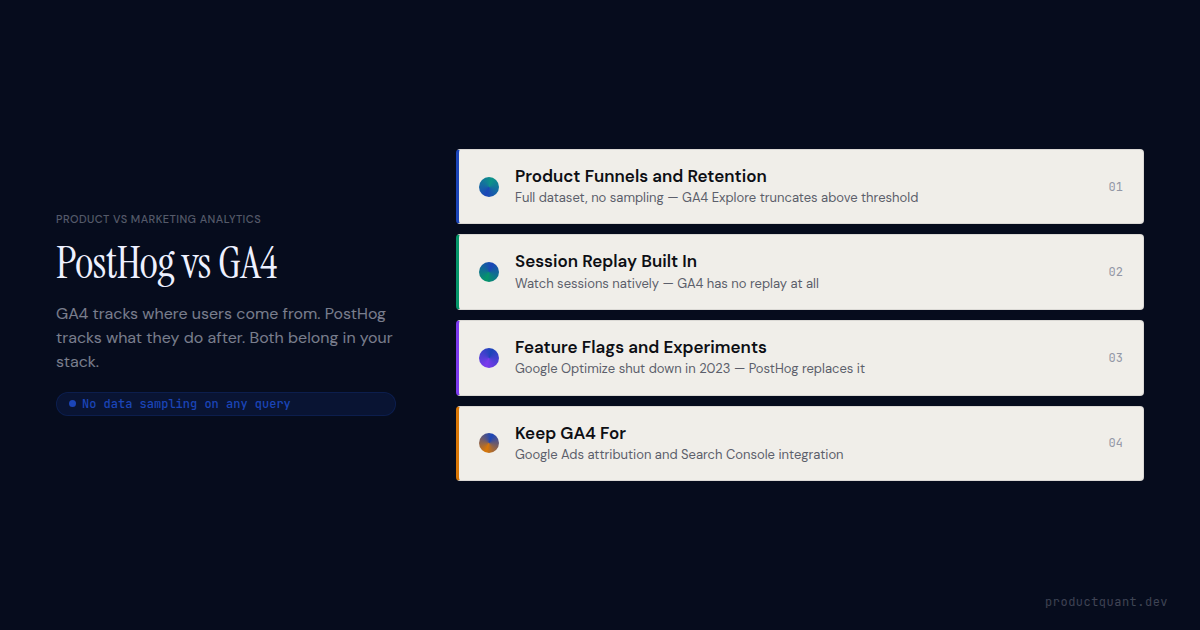
- GA4 samples data in Explore reports above a usage threshold. PostHog does not sample. All queries run on the full dataset by default.
- PostHog includes session replay, feature flags, and A/B experiments natively. GA4 does not.
- GA4 is free indefinitely (with data limits). PostHog is free up to 1 million events per month, then usage-based. For most product teams, both tools cost less than $500/month combined.
- The right answer for most product teams is to run both: GA4 for marketing attribution and Google Ads integration, PostHog for product analytics, session replay, and experiments.
- If your team uses GA4 primarily for funnel analysis, retention, and feature usage tracking, PostHog replaces that use case entirely and does it better.
What each tool was actually built for
GA4 was built for the question a marketing team asks every morning. Where did this user come from, and did they convert? Its strength is attribution. The platform connects a user who arrived from a paid search ad to a purchase or sign-up downstream. GA4 understands sessions, traffic sources, campaigns, and the Google Ads ecosystem natively. Those things are deeply integrated because they are the primary use case the product was designed for.
PostHog was built for the question a product team asks. What did this user do inside the product, and why did they stop? Its strength is behavioural analysis. PostHog shows you funnels that span multiple sessions, retention cohorts measured by feature usage, user-level event timelines, and session replay that reveals exactly what happened before a user churned. These are not features added to a marketing tool. They are the primary use case.
Most teams use GA4 for product analytics because it was already installed for marketing, not because it is the best tool for the job. That is a reasonable starting point. It becomes a problem when the product team tries to answer questions GA4 was not designed for and spends engineering time working around its limitations.
The event model: where the differences start
GA4 and PostHog both use an event-based model, but the way they handle custom events and user identity diverges significantly. GA4 automatically collects a set of recommended events and enhanced measurement events. Custom events require a Google Tag Manager implementation or gtag.js calls with a strict naming convention. GA4 limits custom event parameters to 25 per event and custom dimensions to a project-level cap that varies by property type.
PostHog has no limit on custom event properties per event and no cap on event types. You call posthog.capture('your_event_name', { ...any_properties_you_want }) and the data is immediately queryable. There is no Tag Manager layer, no parameter registration requirement, no waiting for properties to appear in reports after 24-48 hours.
That 24-48 hour delay in GA4 is the friction point product teams feel most acutely. You add tracking for a new feature, deploy, and then wait two days to see if the events are coming in correctly. PostHog events appear in the Activity feed in real time, within seconds of firing.
User identity and user-level querying
GA4 is designed around sessions and aggregates; PostHog is designed around individual users and their event histories. In GA4, you can report on user counts and session counts, but drilling down to a specific user's event history is limited and requires BigQuery export for detailed user-level analysis. The UI is built for aggregate reporting.
PostHog's Person Profiles give you a per-user event timeline. Click any user in a funnel or cohort and see every event they ever fired, in order, with all properties. This is the view a product team needs when investigating why a specific activation step has a 40% drop-off. You cannot get it from GA4 without a data warehouse.
| Capability | PostHog | GA4 |
|---|---|---|
| Custom events | Unlimited, real-time | Limited parameters, 24-48h delay |
| User-level event history | Built-in Person Profiles | Requires BigQuery export |
| Data sampling | No sampling on standard queries | Sampling in Explore above thresholds |
| SQL querying | HogQL (SQL dialect, built-in) | BigQuery only (separate setup) |
| Real-time event verification | Activity feed, seconds | DebugView, 24-48h for full reports |
| Event property limits | None | 25 parameters per event, dimension caps |
Funnels and retention: where product teams feel the gap
PostHog's funnel builder is more flexible than GA4's in ways that matter for product analytics. GA4 funnels require steps to occur in strict order within a session window by default. PostHog funnels let you specify whether steps must be ordered, how long a completion window to allow, and whether to count unique users or unique conversions per user. You can also add exclusion steps to filter out users who did something you do not want in the cohort.
GA4's sampling in Explore reports is the deeper problem. When a funnel query touches more data than the free tier threshold allows, GA4 reports results based on a sample of sessions rather than your full dataset. The sampled result is flagged with a yellow icon most users miss. A 32% activation rate calculated on 15% of your actual traffic is not a 32% activation rate.
PostHog does not sample standard queries. The funnel runs against every event in your dataset.
Retention analysis
GA4's retention reports show return rates by day relative to first visit, measured by session. This is useful for content sites measuring return visits. For SaaS products, it answers the wrong question. Returning to the site is not the same as returning to use the feature you care about.
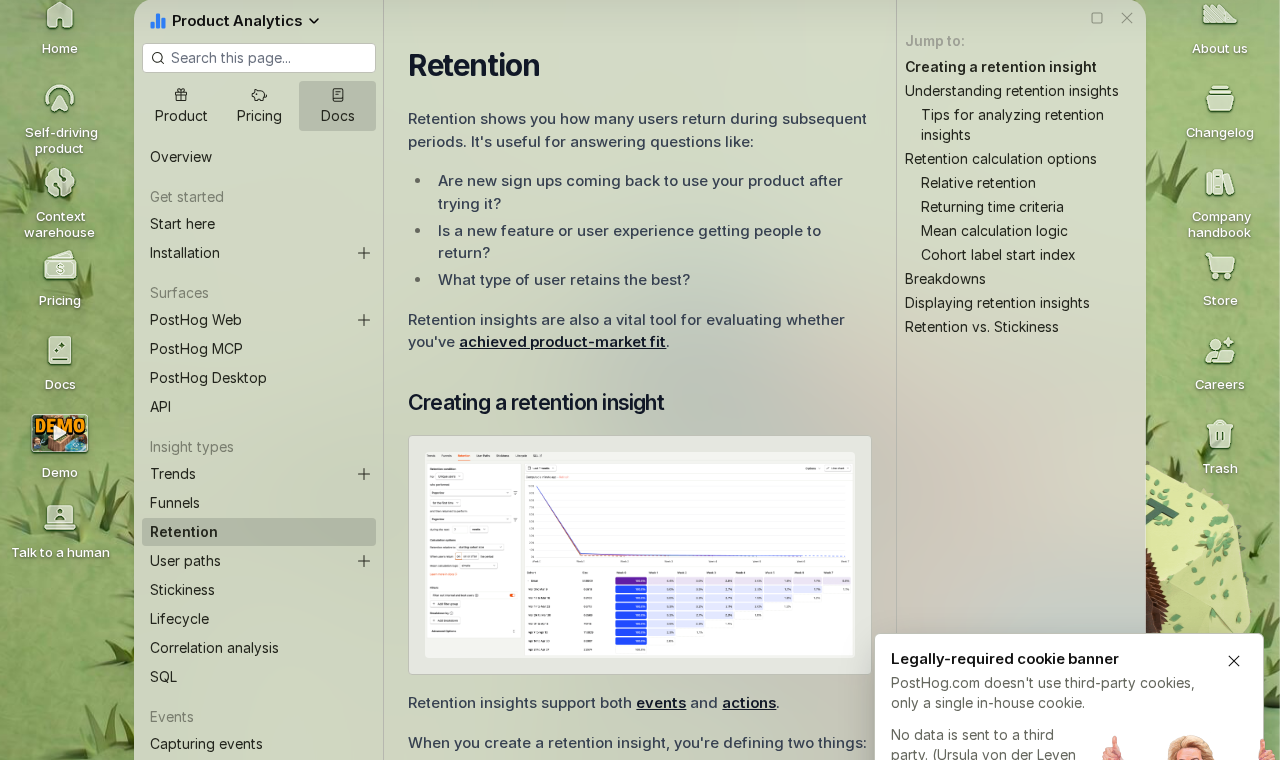
PostHog's retention analysis lets you define the cohort entry event and the returning event independently. You can measure retention for users who completed your activation event, returning to fire a specific feature event, over a 90-day window. That is the retention metric that predicts renewal. GA4 cannot produce it without BigQuery.
What PostHog has that GA4 does not
Three PostHog capabilities have no GA4 equivalent and collectively represent the largest gap between the two tools for product teams.
Session replay
PostHog includes native session replay on the same event pipeline as product analytics. Watch a user's actual session, see their mouse movements, clicks, and scroll depth, and then click through to their event timeline in the same interface. GA4 has no session replay. Google acquired FullStory but has not integrated it into GA4.
The practical value is diagnostic. When a funnel step shows 40% drop-off, session replay on that cohort shows you exactly what users are experiencing before they leave. Five recordings often surface the root cause faster than a week of hypothesis testing with additional tracking.
Feature flags and A/B experiments
PostHog's feature flags and A/B experiment framework are native to the platform, not a separate product. Flag targeting uses the same person properties and cohorts as analytics. Experiment results are calculated against the same event data as your funnels and retention charts. GA4 had Google Optimize for experiments, but Google shut it down in 2023. Teams that used Optimize for A/B testing now need a separate tool unless they move to PostHog.
HogQL: SQL querying without a data warehouse
PostHog's HogQL lets you write SQL directly against your event data inside PostHog, without exporting to BigQuery or a separate warehouse. GA4 requires BigQuery export for any query beyond the standard report dimensions. BigQuery is not free at volume, requires setup and maintenance, and adds latency between event collection and query availability.
HogQL runs in the PostHog UI. Write a query, see the result. No infrastructure. No export lag. No separate billing.
Moving from GA4 to PostHog for product analytics?
ProductQuant sets up PostHog alongside GA4, designs the event taxonomy, rebuilds your key product funnels in PostHog, and delivers a handover your team can maintain. Fixed two-week engagement.
Where GA4 is still the right tool
GA4's strengths are real, and the teams that depend on them should not replace it. The integration with Google Ads is the clearest case. GA4 imports cost data, conversion data, and audience data directly into Google Ads. PostHog cannot replicate this. If your marketing team optimises Google Ads campaigns using GA4 conversion data and audience lists, removing GA4 breaks that workflow entirely.
Search Console integration is in the same category. GA4 can surface which organic search queries drive traffic and correlate them with on-site behaviour. PostHog does not connect to Search Console.
GA4's audience builder for Google Ads remarketing also has no PostHog equivalent. Building a remarketing audience from users who visited a specific page and did not convert, then pushing that audience directly to Google Ads, is a native GA4 workflow. PostHog does not push audiences to ad platforms.
The choice comes down to primary use case. If your team measures paid and organic acquisition, attributes conversions to channels, and optimises Google Ads campaigns, GA4 is the right primary tool. PostHog supplements it for product analytics. If your primary analytics use case is understanding what users do inside the product, PostHog is the right primary tool. GA4 can stay for the marketing team.
Privacy, data ownership, and compliance
GA4 sends data to Google's servers and Google uses it under terms that create GDPR compliance complexity for European products. Google Analytics has been ruled non-compliant with GDPR by data protection authorities in Austria, France, Italy, and Denmark because US data transfers under the old Privacy Shield framework were challenged. The EU-US Data Privacy Framework updated this situation, but the compliance risk has made some European companies reluctant to rely on GA4 for data that includes EU resident information.
PostHog can be self-hosted on your own infrastructure, keeping event data entirely within your control. PostHog Cloud offers an EU-hosted option on their EU data center. Neither arrangement involves Google or transfers data to a US advertising platform. For teams in regulated industries or with strict data residency requirements, this is a meaningful difference.
IP address handling differs too. GA4 anonymises IP addresses by default in the EU. PostHog captures IP addresses unless you explicitly configure it not to. If IP address collection is a compliance concern, add the IP stripping configuration during PostHog setup rather than discovering it after data has been collected.
Pricing: what each actually costs
GA4 is free for the standard property, with GA4 360 at enterprise pricing. The standard tier covers 10 million events per month, 2 months of data freshness for Explore reports, and the full attribution and reporting feature set. GA4 360 adds higher event limits, more fresh data, and BigQuery export included. Pricing for GA4 360 starts around $150,000 per year, making it relevant only for large enterprise web properties.
PostHog is free up to 1 million events per month, covering product analytics, session replay, feature flags, and surveys. Above 1 million events, pricing is usage-based and tiered, roughly $0.000225 per event at 1-2 million events per month, decreasing at higher volumes. A product with 10 million monthly events pays approximately $200-400 per month depending on the product mix. Session replay and feature flags have separate free tiers and are billed independently.
For the typical B2B SaaS product team, the comparison works out to GA4 free plus PostHog at $200-500/month, versus attempting to do product analytics in GA4 and adding a separate session replay tool (FullStory, Hotjar, LogRocket) at $100-300/month. PostHog often costs less than the combined tooling it replaces.
Which to use, and when to use both
The most common right answer is to run both tools simultaneously, each for the use case it was designed for. GA4 handles marketing attribution, Google Ads integration, and organic search measurement for the marketing team. PostHog handles product funnels, retention, session replay, feature flags, and experiments for the product team. Both run on the same site via their respective snippets. Event data does not need to be shared between them.
PostHog replaces GA4 entirely for teams where the marketing team does not depend on Google Ads integration. In practice, this means developer tools, B2B products without significant paid search budgets, and products where the marketing team is happy using PostHog's web analytics dashboard for traffic reporting. PostHog's web analytics covers UTM attribution, referrers, pageviews, and session counts at a level that satisfies most content and growth teams who are not running Google Ads campaigns.
GA4 replaces PostHog for product analytics only in cases where the product is a content site or ecommerce store where "activation" means a purchase or a page view, the product team is the same people as the marketing team, and the budget does not support two tools. That describes a minority of the B2B SaaS teams this comparison is written for.
FAQ
Can PostHog replace Google Analytics 4 completely?
For product analytics, yes. For Google Ads attribution and audience management, no. PostHog's web analytics covers UTM attribution, traffic sources, and pageview reporting at a level that replaces GA4 for most product teams. What it does not replace is GA4's native Google Ads integration, Search Console connection, and remarketing audience push. If the marketing team depends on those, keep GA4 running alongside PostHog.
Is PostHog better than GA4 for product analytics?
Yes, unambiguously for product analytics specifically. Funnel flexibility, retention cohorts with custom events, user-level event histories, session replay, feature flags, and HogQL querying are all more capable in PostHog than in GA4. GA4's strength is its marketing ecosystem integration, not product analytics depth.
Does PostHog have the same sampling problem as GA4?
No. PostHog does not sample standard queries. GA4 applies sampling in Explore reports above free tier thresholds, which means funnel and retention results may be calculated on a subset of actual data. PostHog queries run against the full event dataset by default.
How is PostHog pricing different from GA4?
GA4 is free (standard) or enterprise-priced (360). PostHog is free up to 1 million events per month, then usage-based. For a product team at 10 million events per month, PostHog costs approximately $200-400 per month. This is typically less than the combined cost of GA4 360 plus a separate session replay tool for teams at similar scale.
Does GA4 have session replay?
No. GA4 does not include session replay. PostHog includes it natively on the same event pipeline, with no separate tool or integration required.
Sources
- PostHog vs GA4 official comparison: feature-by-feature comparison maintained by PostHog
- PostHog Web Analytics: UTM attribution, traffic sources, and referrer reporting in PostHog
- GA4 data sampling documentation: Google's explanation of when and how sampling applies in Explore reports
- PostHog pricing: current event pricing, free tier limits, and product-specific billing
- ProductQuant GA4-to-PostHog migration experience: parallel running setups, event taxonomy mapping, and product funnel reconstruction across multiple B2B SaaS products
PostHog Setup
Get PostHog running alongside GA4 in two weeks.
Event taxonomy, product funnels, retention charts, session replay, and a handover your team can maintain. ProductQuant handles the PostHog side while GA4 keeps running for marketing.

About the Author
Jake McMahon is a product analytics strategist and founder of ProductQuant, working with B2B SaaS teams on analytics implementation, platform migrations, and the tooling decisions that determine whether product teams can actually make data-driven decisions.
The comparison here reflects direct experience running PostHog and GA4 in parallel on multiple products, including the event taxonomy decisions, retention analysis differences, and tooling cost comparisons that come up in every migration conversation.