

TL;DR
- PostHog supports managed migration from Amplitude: it exports your data, transforms it to PostHog's schema, and imports it into your project. Historical imports are free and do not count against your monthly event quota.
- Run PostHog and Amplitude in parallel for 2-4 weeks before cutting over. Validate event counts match within 2-5% variance on your top funnels.
- Take the migration as a chance to clean your event taxonomy. Carry over events that answer real product questions; leave behind events nobody queries.
- PostHog's equivalent of Amplitude's user properties is person properties, set via
posthog.identify(), same concept, slightly different API. - Dashboard rebuild takes 1-2 weeks depending on volume. PostHog's funnel, retention, and trend charts cover 95% of what Amplitude's Insights section does.
- Amplitude features without a direct PostHog equivalent: Predict (ML churn/conversion), Compass (engagement scoring), and built-in Revenue LTV. These require HogQL or warehouse export to replicate.
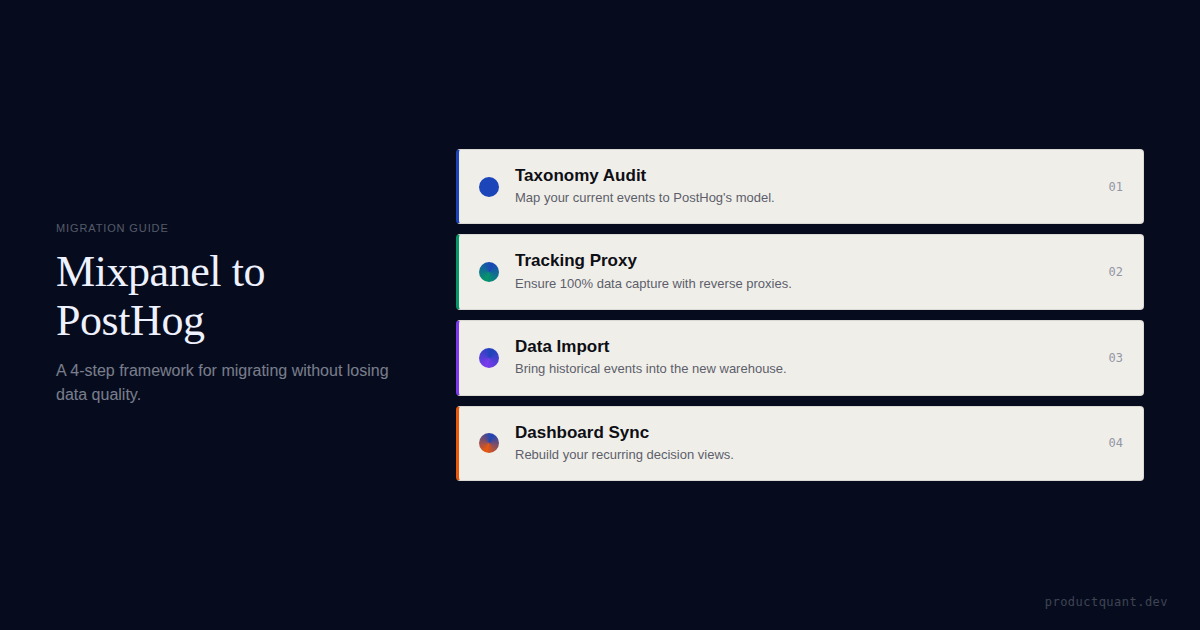
The migration typically runs 6-8 weeks end to end, 1 week planning, 2-4 weeks parallel tracking, 1-2 weeks dashboard rebuild, 1 week cutover validation.
Why teams migrate from Amplitude to PostHog
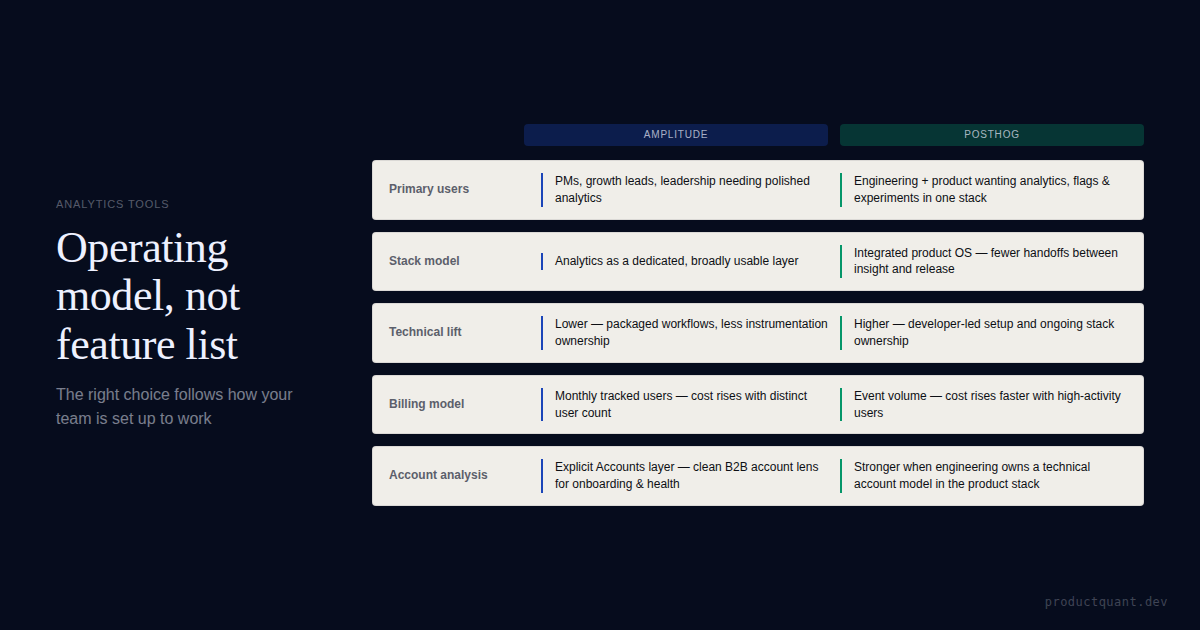
Amplitude's MTU pricing model is the most common trigger. Monthly Tracked Users charges you the same whether a user fires one event or five hundred. As your product matures and engagement deepens, your MTU count stays flat but your event volume grows, which means Amplitude's per-user cost feels increasingly disconnected from the value you're extracting.
The 8% annual automatic price increase compounds this. A $2,000/month Amplitude Growth plan becomes $2,160 at renewal, then $2,333, without any change in usage. Teams that signed two-year deals are now looking at invoices they did not budget for.
That math runs in the background. No conversation, no renegotiation. The invoice changes and you find out when it arrives.
Feature scope drives the second category of migrations. PostHog bundles session replay, feature flags, A/B experiments, and surveys on the same event pipeline as product analytics. Teams paying for Amplitude analytics plus a separate feature-flag tool often find PostHog consolidation saves more than the raw analytics cost difference. Regulated teams get everything under a single BAA.
Open source is the third reason. PostHog is MIT licensed and self-hostable. Teams with strict data residency requirements cannot get this from Amplitude at any price tier. Teams that simply prefer owning their analytics infrastructure get that option on the free plan.
Before you start: the migration audit
The single most important pre-migration step is auditing your Amplitude implementation before you replicate it. Most mature Amplitude implementations contain a significant number of events that nobody queries anymore, events added during a feature build that shipped years ago, events with inconsistent naming conventions from different engineering teams, events with properties that are always null.
Carrying those events into PostHog replicates the data quality problems of your old setup into the new platform. Migration is the one moment when it is socially acceptable to say "we are not carrying that forward", take it.
What to keep, clean, and cut
Go through your Amplitude event list and categorize each event into one of three buckets before writing a single line of migration code.
- Keep as-is: events that are queried regularly, have consistent property schemas, and answer questions your team makes decisions from
- Keep with cleanup: events that answer valid questions but have naming inconsistencies, missing properties, or properties with low fill rates, redesign the schema and implement the clean version in PostHog
- Cut: events that were added for a specific feature, never fed a dashboard or funnel, and have not been queried in the last 6 months. Do not migrate these.
A clean migration that carries 60% of your Amplitude events into PostHog is better than a complete migration that carries 100% of the data quality problems too.

Mapping Amplitude events and properties to PostHog
Amplitude and PostHog use the same conceptual model. Events with properties, tied to users via a distinct identifier. The APIs are different but the mapping is straightforward.
| Amplitude concept | PostHog equivalent | Notes |
|---|---|---|
| Event | Event | Same concept. Name conventions can carry over directly if they are clean. |
| Event properties | Event properties | Direct equivalent. PostHog uses the same key-value structure. |
| User properties | Person properties | Set via posthog.identify(), same concept, different method name. |
User ID (user_id) |
Distinct ID (distinct_id) |
Use the same internal user ID as your Amplitude user_id. |
| Device ID | Anonymous distinct ID | PostHog auto-generates this for anonymous users; no action needed. |
| Groups (Amplitude Account) | Groups (PostHog Group Analytics) | PostHog's group analytics handles B2B account-level tracking. Requires paid plan. |
| Cohorts | Cohorts | Rebuilt in PostHog based on event conditions or person properties. |
| Charts / Insights | Insights | Funnels, trends, retention, and paths map directly. Rebuild from scratch, no import. |
User properties are the most likely source of confusion during migration. The concept is identical. The API is different.
In Amplitude, you call identify via the SDK's Identify object and amplitude.identify(). In PostHog, you call posthog.identify() with the distinct ID and a properties object. The result is the same. Person-level properties attach to the user profile, available for segmentation and cohort filtering.
Running Amplitude and PostHog in parallel
Dual-tracking is non-negotiable for a reliable migration. Running both platforms simultaneously for 2-4 weeks gives you the data to validate that PostHog is capturing events correctly before you turn Amplitude off.
Implementing dual-tracking
The simplest approach is to fire events to both SDKs from the same event handler. Keep the code collocated so it is obvious which events are being dual-tracked.
// Shared event helper — fires to both platforms during migration
function trackEvent(eventName, properties = {}) {
  // PostHog
  posthog.capture(eventName, properties)

  // Amplitude (legacy — remove after cutover validation)
  amplitude.track(eventName, properties)
}

// Shared identify helper
function identifyUser(userId, userProperties = {}) {
  // PostHog
  posthog.identify(userId, userProperties)

  // Amplitude (legacy)
  const identifyEvent = new amplitude.Identify()
  Object.entries(userProperties).forEach(([key, value]) => {
    identifyEvent.set(key, value)
  })
  amplitude.identify(identifyEvent)
}

// Usage — no changes needed at call sites
trackEvent('Feature Used', { feature: 'export', format: 'csv' })
identifyUser(user.id, { plan: user.plan, company: user.company })
This pattern means every call site in your codebase continues to work unchanged. When you cut over, you remove the Amplitude lines from trackEvent and identifyUser and delete the Amplitude SDK, no call site changes needed.

Validating event parity
During the parallel-tracking window, compare event counts in both platforms daily. Expect 2-5% variance from timing differences, session boundary handling, and bot filtering. More than 5% variance on a specific event is a tracking gap, not a rounding difference.
Stop at 5%. Do not rationalise a 9% gap as close enough. It is not.
Focus validation on your top 10 funnels by query frequency. These are the dashboards your team looks at every week. If they are not accurate in PostHog, you will lose trust in the platform before you even complete the cutover.
Importing historical Amplitude data into PostHog
PostHog supports historical data import from Amplitude through two paths. The first is a managed migration via the PostHog UI. The second is a manual import using the Python SDK with the historical_migration flag.
Managed migration (recommended)
In your PostHog project settings, navigate to Data Management and look for the migration option. PostHog's managed Amplitude migration handles the export, transformation, and import automatically. You provide your Amplitude API credentials; PostHog does the rest.
Prerequisites for the managed migration are a paid PostHog product analytics plan (the import itself is free and does not count against your event quota) and your Amplitude organization API key and secret key.
Manual import via Python SDK
For teams who want control over the transformation step, for example, to clean event names or drop events during import, the Python SDK approach lets you write the transformation logic yourself.
import requests, zipfile, json, io
from posthog import Posthog
from requests.auth import HTTPBasicAuth
from datetime import datetime

# Step 1: Export from Amplitude
amp_key = '<amplitude_api_key>'
amp_secret = '<amplitude_secret_key>'
start = '20240101T00'
end = '20241231T23'

response = requests.get(
    f'https://amplitude.com/api/2/export?start={start}&end={end}',
    auth=HTTPBasicAuth(amp_key, amp_secret)
)

# Step 2: Import into PostHog with historical_migration=True
posthog = Posthog(
    '<ph_project_token>',
    host='https://us.i.posthog.com',
    historical_migration=True  # disables quota counting for these events
)

# Step 3: Transform and send
with zipfile.ZipFile(io.BytesIO(response.content)) as zf:
    for name in zf.namelist():
        with zf.open(name) as f:
            for line in f:
                event = json.loads(line)

                # Map Amplitude event to PostHog format
                posthog.capture(
                    distinct_id=event.get('user_id') or event.get('device_id'),
                    event=event['event_type'],
                    properties={
                        **event.get('event_properties', {}),
                        '$timestamp': event['event_time'],  # ISO 8601
                        '$ip': event.get('ip_address'),
                        '$os': event.get('os_name'),
                        '$browser': event.get('os_name'),
                    },
                    timestamp=datetime.fromisoformat(event['event_time'].replace(' ', 'T'))
                )

posthog.flush()
print("Import complete.")
Timestamps must be ISO 8601 format and at least 48 hours before the import date. PostHog will reject events with future timestamps. Run the import in batches of 30-90 day windows rather than all at once to avoid timeout issues on large datasets.
Rebuilding Amplitude dashboards in PostHog
Do not try to replicate every Amplitude chart, replicate the decisions those charts inform. For each Amplitude dashboard, ask what question it answers and build a PostHog equivalent that answers the same question. Some charts will simplify; a few will need HogQL for the exact same calculation.
Amplitude to PostHog chart type mapping
| Amplitude chart type | PostHog equivalent | Notes |
|---|---|---|
| Event Segmentation | Trends (Insights) | Direct equivalent. Same grouping, breakdown, and filter options. |
| Funnel Analysis | Funnels (Insights) | Direct equivalent. PostHog adds session replay on drop-off cohort. |
| Retention Analysis | Retention (Insights) | Direct equivalent. Same N-day and unbounded retention options. |
| User Paths | Paths (Insights) | Direct equivalent. |
| Data Tables | HogQL (Insights) | Write SQL directly against your event data for custom table views. |
| Compass (engagement) | No direct equivalent | Build with HogQL: event count frequency distributions and activity scoring. |
| Predict (ML churn) | No direct equivalent | Export to data warehouse and use your own ML pipeline. |
The dashboard rebuild is the most time-consuming part of the migration for teams with large Amplitude chart libraries. Budget 1-2 weeks. Prioritise dashboards that are checked weekly or used in leadership reviews. Those are the charts that will block cutover sign-off if they are not ready.
Start the rebuild in week 4, while parallel data is still accumulating. Not in week 7 after parity is confirmed.
Cutting over and decommissioning Amplitude
Cutover is a business decision, not just a technical one. Before you turn off Amplitude, confirm that the people who make product decisions using analytics data have validated their primary dashboards in PostHog and are comfortable using them.
Cutover checklist
Work through this list before removing the Amplitude SDK from your codebase.
- Event parity validated: PostHog event counts are within 5% of Amplitude on your top 10 funnels over a full two-week window
- Dashboard rebuild complete: all decision-critical charts rebuilt and reviewed by the relevant stakeholders
- Historical import confirmed: historical data visible in PostHog and date ranges align with what was in Amplitude
- Identify and person properties verified: user profiles in PostHog are populated with the correct person properties
- Session replay sampling confirmed: recordings are appearing for sessions on your primary product surfaces
- Stakeholder sign-off: product, data, and leadership teams have confirmed they can do their work in PostHog
- Amplitude contract reviewed: you know your renewal date and notice period so you can cancel before the next billing cycle
After cutover, leave the Amplitude SDK in place but commented out for two weeks as a safety net. Once you confirm PostHog is running cleanly with no data gaps, remove the Amplitude code completely and cancel your subscription.

What PostHog does not replicate from Amplitude
Most Amplitude use cases map directly to PostHog. A few do not, and it is worth knowing them before you commit to the migration.
- Amplitude Predict: ML-based churn and conversion prediction trained on your event data. PostHog has no equivalent. Teams who rely on Predict outputs need to replicate this in a data warehouse or with an external ML pipeline.
- Compass: Amplitude's engagement scoring system. PostHog does not have an out-of-the-box engagement score. You can approximate it with HogQL using event frequency and recency signals, but it requires custom query work.
- Revenue LTV dashboards: Amplitude's Monetization and Revenue analysis features assume a specific revenue event structure. PostHog can do revenue analytics but requires building it from your event data using HogQL rather than using a pre-built module.
- Deep linking with Amplitude's Experiment: Amplitude's Experiment product has deep integration with Amplitude Analytics for sequential analysis. PostHog's experiments work well but the integration with its own analytics is somewhat different in practice.
For most B2B SaaS product analytics teams, activation tracking, churn analysis, feature adoption, funnel optimization, these gaps are not blockers. They become relevant primarily for growth-stage consumer apps that rely on Amplitude's ML features as a core part of their retention workflow.
Migration timeline and how to start
A well-run Amplitude to PostHog migration takes 6-8 weeks end to end. Rushing the parallel-tracking window is the most common mistake, two weeks is the minimum; four weeks gives you enough data to validate seasonal patterns and low-frequency funnels.
- Week 1: Audit and planning. Audit your Amplitude event list. Categorize events into keep, clean, and cut. Map your top 20 Amplitude charts to their PostHog equivalents. Create your PostHog project and confirm the managed migration is available in your account settings. This week produces a document, not code.
- Weeks 2-3: PostHog implementation. Install the PostHog SDK alongside Amplitude using the dual-tracking wrapper. Start on your highest-traffic surfaces, validate event counts, then roll out to the rest of the product.
- Weeks 4-5: Parallel tracking. Run both platforms simultaneously. Compare event counts daily. Five percent variance is normal. Above that, stop and investigate before moving forward. Start rebuilding priority dashboards now, not after parity is confirmed.
- Week 6: Dashboard rebuild and stakeholder review. Complete the rebuild and walk each team through their primary charts in PostHog. Collect explicit sign-off from the people who will depend on these dashboards. If sign-off stalls, cutover stalls. Schedule these sessions at the start of week 6.
- Week 7: Historical import. Run the managed Amplitude migration. Verify date ranges and event counts match what you saw in Amplitude before deciding parity is confirmed.
- Week 8: Cutover. Remove Amplitude from production. Comment out the code rather than deleting it immediately. Cancel Amplitude at your next renewal window.
The sequence matters. Do not start the historical import until parallel-tracking validation is complete. If you discover tracking gaps during parallel tracking, fix them in the live implementation first. Importing the same flawed schema historically does not fix the problem.
FAQ
Can I import my historical Amplitude data into PostHog?
Yes. PostHog has a managed migration for Amplitude that exports your data, transforms it to PostHog's event schema, and imports it. You can also use PostHog's Python SDK or batch API with historical_migration=True to import events manually. Events must have ISO 8601 timestamps at least 48 hours before the import date. Historical imports do not count against your monthly event quota.
How long should I run Amplitude and PostHog in parallel?
Two to four weeks is the standard window. Run both until PostHog event counts match Amplitude within 2-5% variance on your top funnels. Do not cut over mid-period, pick a clean week boundary so cohort comparisons are not split across platforms.
Do Amplitude event names map directly to PostHog event names?
They can, but you should take the migration as a chance to clean your taxonomy. Amplitude event names that follow a consistent convention map cleanly to PostHog. Events with inconsistent naming should be standardized during migration rather than carried over. This is easier to do during a migration than at any other time.
What Amplitude features does PostHog not have?
Amplitude's Predict (ML churn/conversion), Compass (engagement scoring), and Revenue LTV dashboards have no direct PostHog equivalent. Teams who rely on these features need to replicate them via HogQL queries or a data warehouse export. For most B2B SaaS product analytics use cases, PostHog covers the required functionality.
How much does switching from Amplitude to PostHog actually save?
For teams on Amplitude Growth or Enterprise, the savings are typically 60-85%. Amplitude's MTU pricing with the 8% annual automatic uplift makes growth expensive. PostHog's event-based pricing at $0.00005 per event after 1M free per month is more predictable. A team paying $3,000/month on Amplitude Growth might pay $300-600/month on PostHog for equivalent volume. Request a PostHog cost estimate using your Amplitude event volume before committing.
Sources
- PostHog Migrate from Amplitude Documentation: managed migration steps, API export, and Python SDK import
- PostHog Historical Migrations: prerequisites, data format requirements, and supported sources
- leggetter/migrate-amplitude-to-posthog: open source Node.js migration utility
- Amplitude Pricing: Growth and Enterprise tier pricing and MTU model
- ProductQuant Amplitude to PostHog migration experience: event taxonomy audit patterns, dual-tracking implementation, cutover timeline
Need the Amplitude to PostHog migration managed for you?
ProductQuant handles the full migration, from the event taxonomy audit and PostHog implementation through parallel-tracking validation, dashboard rebuild, and cutover. Fixed-scope engagement with a defined timeline.

About the Author
Jake McMahon is a product analytics strategist and founder of ProductQuant, working with B2B SaaS teams on analytics implementation, platform migrations, and the infrastructure that makes product decisions defensible.
The migration patterns described here reflect real Amplitude to PostHog migrations, including the dual-tracking approach, event taxonomy audit process, and cutover validation checklists.
Related Reading
Stop paying the Amplitude renewal uplift.
Most teams overpay for Amplitude by 60-85% relative to what PostHog would cost for the same data. The migration takes 6-8 weeks and the savings compound every year. ProductQuant manages the full process.