
TL;DR
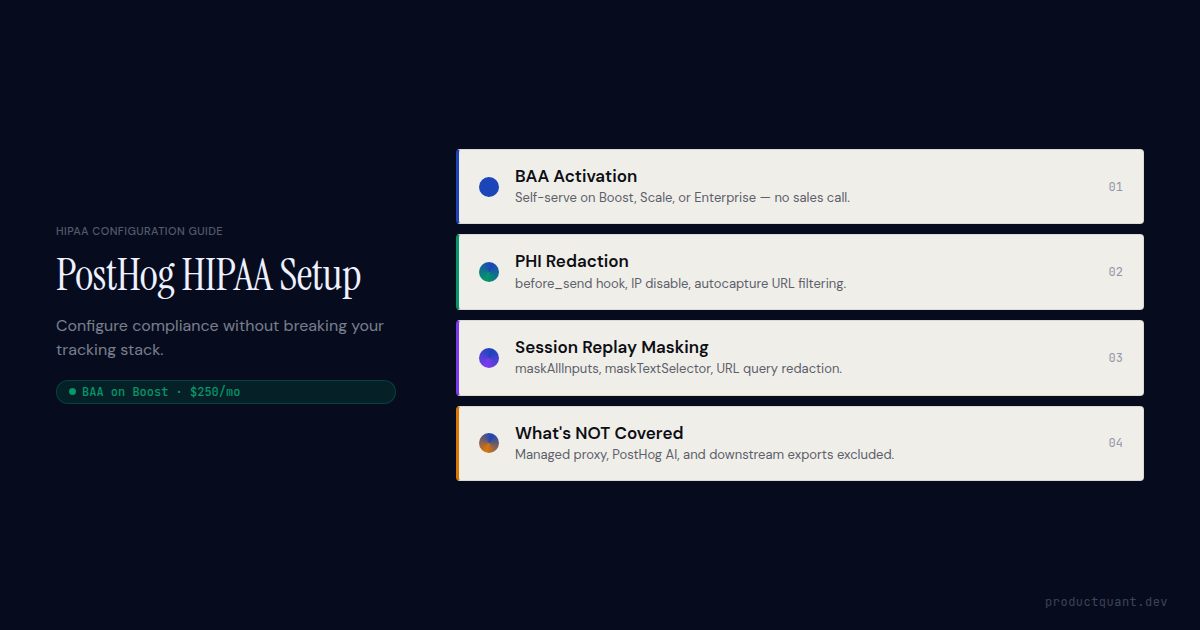
- PostHog offers a self-serve HIPAA BAA on Boost ($250/mo), Scale ($750/mo), or Enterprise tiers, no enterprise sales call required
- The BAA covers PostHog Cloud (US and EU); the managed reverse proxy and PostHog AI features are explicitly excluded
- Default autocapture sends IP addresses, page URLs, and DOM text, all potential PHI, and must be disabled or filtered via
before_send - Session replay requires
maskAllInputs: trueandmaskTextSelector: '*'at minimum; disable entirely on patient-facing screens - Cloud + Boost ($250/mo + usage) is cheaper than self-hosting once engineering labor is factored in for most teams under 500M events/month
- Downstream exports (Slack webhooks, BigQuery, Snowflake) are not covered by the PostHog BAA, each requires its own BAA
Each of those points is covered in detail below, with the exact SDK configuration and deployment decisions that make them true in practice.
Does PostHog support HIPAA compliance?
Yes. PostHog declared HIPAA compliance in February 2024 and holds SOC 2 Type II certification. The compliance path depends on your deployment choice.
For PostHog Cloud, HIPAA BAA coverage is available on three paid tiers. The specifics vary by package.
| Package | Monthly price | BAA included | Key additions |
|---|---|---|---|
| Boost | $250/mo | Yes | Standard BAA, enhanced security controls, activity logs |
| Scale | $750/mo | Yes | Boost + SAML SSO, priority support, advanced permissions |
| Enterprise | Custom | Custom BAA | Custom BAA terms, dedicated SLA, RBAC, training |
One BAA covers all PostHog products, product analytics, session replay, feature flags, experiments, surveys, and error tracking. You do not need separate agreements per product.
For self-hosted deployments, PostHog does not provide a BAA. You are responsible for all HIPAA safeguards, and you must sign a BAA with your infrastructure provider (AWS, GCP, Azure) separately. PostHog strongly recommends Cloud under a BAA over self-hosting for most teams.
Important: The BAA is not retroactive. If your PostHog Cloud instance has been collecting data without a BAA and that data includes PHI, you have an existing exposure. Sign the BAA and conduct a retroactive audit before continuing to use the platform in a healthcare context.
US Cloud vs EU Cloud vs self-hosted: which path is HIPAA-eligible?
The deployment decision is the first and most consequential HIPAA configuration choice. Here is the full comparison:
| Path | BAA from PostHog | HIPAA-eligible | Notes |
|---|---|---|---|
| PostHog Cloud US AWS us-east-1, Virginia |
Yes (Boost+) | Yes | Recommended path. PostHog manages infra security, patching, and uptime. |
| PostHog Cloud EU AWS eu-central-1, Frankfurt |
Yes (Boost+) | Yes | Same pricing and features as US Cloud. Helps with GDPR data residency simultaneously. EU data protection laws apply in addition to HIPAA. |
| Self-hosted (OSS) | No | Conditional | You bear the full HIPAA compliance burden. Must sign BAA with your infra provider. Requires: encryption at rest, access controls, audit logging, patch SLA, incident response plan. |
| Managed reverse proxy | No | No | Explicitly excluded from BAA coverage per PostHog docs. Do not use for any PHI-adjacent data flow. |
A common misconception is worth clearing up first. Some engineering teams assume EU Cloud is HIPAA-ineligible because HIPAA is a US law. This is incorrect. HIPAA applies to covered entities and their business associates regardless of where data is stored, and PostHog's BAA explicitly covers both Cloud regions. EU hosting simply adds GDPR requirements on top.
How to get a HIPAA BAA from PostHog
PostHog's BAA process is self-serve on Boost and Scale. No sales call required.
- Subscribe to Boost or Scale. Navigate to Settings → Organization → Billing in your PostHog Cloud instance. Select Boost ($250/mo) or Scale ($750/mo). Usage-based charges apply above the free tier (1M events/month, 5K session recordings/month included free).
- Generate the BAA. Go to posthog.com/baa: PostHog's in-app BAA generator creates a standard BAA for PostHog to countersign. For Enterprise-tier custom BAA terms, engage PostHog's sales team.
- Countersign and file. PostHog countersigns the generated BAA. Keep the executed copy on file. Your compliance team will need it during audits and vendor reviews.
- Implement the SDK configuration below. The signed BAA establishes the legal relationship. It does not automatically configure your implementation to be PHI-safe. That is the work described in the rest of this guide.
Custom BAA terms are available at the Enterprise tier. Enterprise package customers can negotiate custom BAA language, for example to address specific audit log retention periods, breach notification timelines shorter than the HIPAA-required 60 days, or sub-processor restrictions. Standard Boost/Scale BAAs use PostHog's standard terms.
PHI PostHog captures by default, and how to disable it
Signing the BAA is the legal step. Configuring the SDK to avoid capturing PHI is the technical step. They are separate. The SDK configuration is where most healthcare SaaS implementations have gaps.

What PostHog's autocapture sends by default
Every posthog.init() call with default settings sends the following to PostHog's servers. All of these are treated as PHI by HHS OCR's 2022 guidance when collected on health-related pages:
$ip: IP address (PHI per HHS OCR Dec 2022 tracking technology guidance)$current_url: Full URL including path and query parameters (can contain patient IDs, appointment IDs, condition codes)$pathname: URL path (e.g.,/patient/12345/appointments/)$elements_chain: CSS selectors and element text content from clicked elements (can capture button labels, link text containing PHI)$referrer: Full referring URL (can contain health-site referral context)$geolocation: City/country inferred from IP (indirect identifier)- Session replay DOM snapshots, full page content including any visible PHI
Additionally, when you call posthog.identify(), whatever properties you pass become person properties in PostHog. Sending email, name, phone, date_of_birth, or any condition-related property creates PHI exposure at the person-property level.
The minimum compliant PostHog init configuration
posthog.init('<ph_project_token>', {
  api_host: 'https://us.i.posthog.com', // or eu.i.posthog.com

  // Disable autocapture — opt into specific events instead
  autocapture: false,

  // Strip PHI from every event before it leaves the browser
  before_send: (event) => {
    // Remove IP (PostHog also captures this server-side — disable in org settings)
    delete event.properties['$ip'];

    // Remove full URL — log only the path without query strings
    if (event.properties['$current_url']) {
      try {
        const u = new URL(event.properties['$current_url']);
        event.properties['$current_url'] = u.origin + u.pathname;
      } catch(e) {
        delete event.properties['$current_url'];
      }
    }

    // Remove referrer query strings
    if (event.properties['$referrer']) {
      try {
        const r = new URL(event.properties['$referrer']);
        event.properties['$referrer'] = r.origin + r.pathname;
      } catch(e) {
        delete event.properties['$referrer'];
      }
    }

    return event;
  },

  // Session replay — maximum privacy mode (see next section)
  session_recording: {
    maskAllInputs: true,
    maskTextSelector: '*',
  },
});
Disable IP capture at the organization level
The before_send hook removes $ip from client-side event properties, but PostHog also captures IP server-side from the incoming request. Disable this in your PostHog org settings:
- Navigate to Settings → Organization → General
- Find IP data capture default and set to disabled
- Also disable at the project level: Settings → Project → General → IP data capture
Disabling IP capture at the org level is the one configuration step that lives entirely outside the SDK, so it is easy to miss. Verify it in settings before you consider your implementation complete.
Selective autocapture with PHI-safe allowlist
If you need autocapture for specific interactions but want to exclude PHI-containing elements, use the allowlist approach rather than disabling autocapture entirely:
posthog.init('<ph_project_token>', {
  autocapture: {
    // Ignore elements containing PHI
    css_selector_ignorelist: [
      '.ph-no-autocapture',
      '[data-phi]',
      '.patient-name',
      '.medical-record',
      '.appointment-detail',
      '#phi-container',
    ],
    // Ignore element attributes that may contain PHI
    element_attribute_ignorelist: [
      'data-patient-id',
      'data-mrn',
      'data-appointment-id',
    ],
    // Ignore URL patterns for patient-facing routes
    url_ignorelist: [
      '**/patient/**',
      '**/portal/**',
      '**/health-record/**',
      '**/appointment/**',
    ],
  },
});
You can also add the data-ph-no-autocapture attribute or the ph-no-capture CSS class directly to HTML elements containing PHI:
<!-- PostHog will not autocapture interactions with this element -->
<div class="ph-no-capture patient-details">
  <span>{{ patient.name }}</span>
  <span>MRN: {{ patient.mrn }}</span>
</div>
Configuring person property redaction for HIPAA
The before_send hook handles event-level PHI. Person properties, set via posthog.identify() and posthog.setPersonProperties(), require a separate discipline.
The core rule: never use PHI as the distinct_id
Do Not Do This
// PHI as distinct_id — HIPAA violation risk
posthog.identify('[email protected]', {
  email: '[email protected]',
  condition: 'diabetes',
  date_of_birth: '1980-05-15',
});
Do This Instead
// Hashed ID — not traceable to individual without the key
async function identifyUser(userId) {
  const encoder = new TextEncoder();
  const data = encoder.encode(userId);
  const hashBuffer = await crypto.subtle.digest('SHA-256', data);
  const hashArray = Array.from(new Uint8Array(hashBuffer));
  const hashedId = hashArray.map(b => b.toString(16).padStart(2, '0')).join('');

  posthog.identify(hashedId, {
    // Only non-PHI person properties
    plan_tier: 'premium',
    account_type: 'practice',
    created_at_epoch: 1722038400,
  });
}
Allowed vs prohibited person properties
| Property type | Example | Safe to send? |
|---|---|---|
| Internal hashed user ID | sha256('staff-user-4821') |
Safe |
| Plan tier / subscription status | plan_tier: 'growth' |
Safe |
| Account type / role | role: 'admin' |
Safe |
| Feature flag cohort membership | beta_features: true |
Safe |
| Email address | email: '[email protected]' |
PHI risk |
| Full name | name: 'Jane Smith' |
PHI risk |
| Date of birth | dob: '1980-05-15' |
PHI |
| Patient-linked condition or diagnosis | condition: 'diabetes' |
PHI |
On Scale and Enterprise tiers, PostHog's property access control lets you restrict who in your organization can view specific event and person properties. This adds a role-based access layer on top of the data hygiene measures above, useful for limiting PHI exposure even when some properties cannot be removed.
Session replay HIPAA configuration
Session replay is the highest-risk PostHog feature in a HIPAA context. It captures full DOM snapshots that can include patient names in UI elements, form field values, and health-related content visible on screen. Network request data is also captured, including URLs that may carry patient identifiers in query strings.

Maximum privacy configuration (recommended for healthcare)
posthog.init('<ph_project_token>', {
  session_recording: {
    // Mask all input fields — passwords, text, selects, checkboxes
    maskAllInputs: true,

    // Mask all text content on the page
    // WARNING: this makes recordings nearly unreadable — consider per-element approach
    maskTextSelector: '*',

    // Conditional mask: unmask non-sensitive inputs (e.g. search bars)
    maskInputFn: (text, element) => {
      const type = element?.getAttribute('type');
      const role = element?.getAttribute('data-ph-unmask');
      if (role === 'true') return text; // explicitly unmasked by dev
      if (type === 'search') return text; // search inputs are typically non-PHI
      return '*'.repeat(text.trim().length);
    },

    // Redact PHI from captured network request URLs
    maskCapturedNetworkRequestFn: (request) => {
      if (request.name) {
        // Redact known PHI query params
        request.name = request.name.replace(
          /([?&])(patientId|mrn|ssn|dob|appointmentId|token)=[^&]*/gi,
          '$1$2=[REDACTED]'
        );
      }
      return request;
    },
  },
});
Block entire sections from recording
For sections of your UI that will never be safe to record (patient detail panels, clinical notes viewers, lab result displays), use the data-ph-no-capture attribute to block the entire element from appearing in recordings:
<!-- This entire panel is excluded from PostHog session replay -->
<section data-ph-no-capture class="patient-detail-panel">
  <h2>Patient Summary</h2>
  <!-- PHI content here -->
</section>
Mobile session replay
PostHog's mobile session replay (iOS/Android SDK) does not currently support selective element unmasking at the same granularity as the web SDK. For patient-facing mobile screens, disable session replay entirely on those screens rather than relying on global masking:
// In your patient detail view controller
override func viewWillAppear(_ animated: Bool) {
    super.viewWillAppear(animated)
    PostHogSDK.shared.optOutCapturing() // stops all capture including replay
}

override func viewWillDisappear(_ animated: Bool) {
    super.viewWillDisappear(animated)
    PostHogSDK.shared.optInCapturing() // resume on non-PHI screens
}
PostHog AI features must be disabled for any project handling PHI. PostHog AI (Max, the AI assistant) sends data to third-party LLM providers. That flow is explicitly excluded from BAA coverage. Disable in Settings → Organization → PostHog AI → Disable for organization on any project in a HIPAA scope.
Feature flags and experiments: HIPAA considerations
Feature flags and A/B experiments are covered under the PostHog BAA on paid Cloud tiers, but they introduce a PHI risk that most teams overlook. Flag targeting conditions can reference person properties that contain PHI.
The risk
When you evaluate a feature flag, PostHog receives the user's distinct ID and any person properties you send for targeting. If your flag targets users by email, name, health_condition, or any other PHI-containing property, that data flows through the flag evaluation pipeline.
Safe flag configuration
The fix is straightforward once you understand where the risk sits. Keep PHI out of the properties you use for flag targeting, and keep the distinct ID clean of anything that traces to a patient record.
- Use only hashed user IDs (never emails, MRNs, or patient-linked identifiers) as the distinct ID for flag evaluation
- Target flags by non-PHI person properties only:
plan_tier,account_type,beta_cohort,region_code - For experiment variant assignment, ensure the variant event (
$feature_flag_called) does not carry PHI properties, use thebefore_sendhook to strip them - Self-hosted PostHog keeps flag evaluation on your own infrastructure, an option if your flag targeting logic must reference PHI that cannot be de-identified
On Cloud, the cleanest approach is to treat your PostHog distinct ID as a functional handle with no PHI attached to it. When that holds, flag targeting stays clean by default and you never need to audit individual flag configs for PHI leakage.
Experiment data + event data = PHI risk. Even when variant assignment is clean, if experiment analysis joins variant assignment to event data that contains PHI, the combined dataset constitutes PHI. Ensure your HogQL queries and dashboard configs do not surface PHI in experiment analysis.
Self-hosting PostHog for HIPAA: what it actually costs
Self-hosting gives you full infrastructure control. PostHog does not provide a BAA for self-hosted deployments. You must sign a BAA with your cloud provider (AWS, GCP, or Azure all offer HIPAA BAA coverage), and you bear the operational burden of maintaining HIPAA Security Rule compliance.

What self-hosting requires for HIPAA
Running PostHog on your own infrastructure shifts the entire HIPAA compliance burden onto your team. A production-grade setup needs all of the following in place before you can claim HIPAA eligibility:
- Encryption at rest for ClickHouse data volumes (AWS EBS/KMS or equivalent)
- TLS 1.2+ for all internal service communication
- RBAC and least-privilege access to ClickHouse and PostgreSQL
- Audit logging of all administrative access to PHI-containing stores
- A documented patch SLA (unpatched CVEs violate the HIPAA Security Rule)
- Backup encryption and tested recovery procedures
- An incident response plan covering breach notification within 60 days
Each of those requirements also needs documentation. HIPAA auditors ask for logs, written policies, and change records. Build your compliance evidence alongside your deployment, not after the fact.
The cost comparison
| Cost item | Cloud + Boost | Self-hosted |
|---|---|---|
| Platform / infra base | $250/mo (Boost) | $150–600/mo (VPS + ClickHouse cluster) |
| Engineering labor (DevOps) | $0, PostHog manages | $500–2,000/mo (0.25–1 FTE equiv.) |
| BAA | Included in Boost | BAA from infra provider (often $0, but adds compliance overhead) |
| Patch / update responsibility | PostHog handles | Your team, with documented SLA required for HIPAA |
| Security audit scope | PostHog Cloud (SOC 2 Type II, penetration testing) | Your full infra stack, requires your own audits |
| Realistic total | $250–750/mo + usage | $800–3,500+/mo (labor-dominated) |
Self-hosting makes economic sense at very high event volumes (typically 500M+ events/month) where usage-based Cloud pricing exceeds self-hosted infra costs even after accounting for labor. Below that threshold, Cloud + Boost is the correct default for HIPAA-scoped deployments.
What PostHog features are NOT covered by the HIPAA BAA
The BAA covers data processed within PostHog's core infrastructure. Several features and use patterns sit outside that coverage.
| Feature / pattern | BAA coverage | HIPAA-safe alternative |
|---|---|---|
| PostHog AI (Max) | Excluded | Disable at org level. Data sent to third-party LLM providers. |
| Managed reverse proxy | Excluded | Use PostHog's standard ingestion endpoints (us.i.posthog.com). |
| Slack webhook pipeline | Excluded (Slack is not a BAA-covered destination unless Slack signs your BAA) | Send only non-PHI event summaries; sign a BAA with Slack for any PHI channel. |
| Data warehouse exports (BigQuery, Snowflake, Redshift) | Excluded | Sign BAAs with destination providers before exporting PHI-adjacent data. |
| Shared dashboard links | Conditional | Restrict sharing to authenticated personnel. Do not create public dashboard links for dashboards that surface PHI. |
| Third-party plugins / apps | Conditional | Audit each installed app. Apps that send data externally require their own BAA review. |
FAQ
Can I use PostHog Cloud without a BAA if I anonymize all data?
Not safely. HHS OCR's 2022 tracking technology guidance clarifies that IP addresses, device IDs, and browsing behavior on health-related pages constitute PHI when collected by a covered entity, even without explicit patient identifiers. True de-identification under HIPAA's Safe Harbor or Expert Determination standards is difficult to achieve in practice. Without a signed BAA, any PHI exposure is a violation. Use Cloud on Boost+ with a signed BAA, or self-host with full HIPAA safeguards.
Does PostHog's EU Cloud qualify for HIPAA, or is it only for GDPR?
Both. PostHog Cloud EU (Frankfurt, AWS eu-central-1) is covered under the same BAA terms as US Cloud, Boost or Scale package required. EU hosting satisfies GDPR data residency requirements while remaining HIPAA-eligible under the BAA. Pricing is identical. Note that EU data protection regulations apply in addition to HIPAA obligations.
What happens if I don't patch my self-hosted PostHog instance?
Unpatched software with known CVEs violates the HIPAA Security Rule's requirement to protect against reasonably anticipated threats. HHS OCR may classify this as willful neglect, with penalties up to $1.9M per violation category per year (2023 adjustment). Self-hosters must maintain a documented patch schedule and an incident response plan. PostHog Cloud on Boost handles patching entirely, one of the primary reasons PostHog recommends Cloud for HIPAA-scoped deployments.
Can I use PostHog session replay on patient portal pages?
Only under specific conditions. You must be on Cloud under a signed BAA or self-hosting with full HIPAA safeguards. Configure maskAllInputs: true and maskTextSelector: '*'; redact query strings via maskCapturedNetworkRequestFn; and restrict recording access to authorized personnel with a documented data retention policy. Most healthcare SaaS organizations disable session replay entirely on patient-facing pages and limit it to admin and staff-facing UI where PHI does not appear.
Does the PostHog BAA cover Slack webhooks and data warehouse exports?
No. The BAA covers data within PostHog's infrastructure only. If you export PHI-adjacent data to Slack via webhook, BigQuery, Snowflake, Redshift, or any other destination, each of those services requires its own HIPAA BAA. Audit every PostHog pipeline destination against your active BAA list before enabling data exports in a HIPAA-scoped PostHog project.
Need the HIPAA-compliant PostHog implementation done for you?
ProductQuant's PostHog setup engagement covers BAA activation, PHI-safe SDK configuration, event taxonomy design, session replay configuration, group analytics setup, and first-dashboard build, with a compliance documentation packet for your legal and security review.
Sources
- PostHog HIPAA Compliance Documentation: BAA availability, covered features, managed reverse proxy exclusion
- PostHog Platform Packages: Boost, Scale, Enterprise pricing and feature breakdown
- PostHog Session Replay Documentation: masking configuration options
- HHS OCR, Use of Online Tracking Technologies by HIPAA Covered Entities and Business Associates (Dec 2022): IP address and URL classification as PHI
- PostHog Trust Center: SOC 2 Type II, penetration testing, sub-processor list
- ProductQuant PostHog implementation experience for healthcare SaaS clients, PHI audit patterns, configuration patterns, cost analysis

About the Author
Jake McMahon is a product analytics strategist and founder of ProductQuant, working with B2B SaaS companies, including those in regulated healthcare and fintech environments, to build analytics infrastructure that is both technically sound and compliance-ready.
The PostHog HIPAA configurations described in this article reflect patterns from live client implementations. ProductQuant's PostHog setup service includes BAA activation, PHI-safe SDK configuration, event taxonomy design, and compliance documentation, purpose-built for healthcare SaaS teams.
Related Reading


Get your PostHog HIPAA setup done right, the first time.
Most healthcare SaaS teams either avoid PostHog due to HIPAA uncertainty, or implement it without the configuration that makes it actually compliant. ProductQuant's PostHog setup service closes both gaps, BAA activation, PHI-safe SDK config, session replay masking, and compliance documentation, all in a fixed-scope engagement.